
Search for “inside home designmode24” and you’ll find a pile of articles that disagree with each other. One calls it a planning system. Another calls it a design philosophy. A third says it’s the best site for home makeovers. None of them says plainly what you’re looking at, what it costs to act on its ideas, or whether the advice holds up.
Here is the plain version. DesignMode24 is a home and lifestyle content website. Its “Inside the Home” section covers interiors: living room layouts, DIY renovations, color trends, and modern house design. Other sections cover kitchens, tools and tech, and gardens. Based on the pages that describe it, it is a publication, not a software product or a studio you can hire.
This guide does three things:
- Explains what the site covers and how to judge it.
- Reviews its strengths and weak spots.
- Turns the common advice into room-by-room plans with US price ranges.
What Is Inside Home DesignMode24?
The Short Definition
Inside home designmode24 refers to the interior design section of the DesignMode24 website. It publishes articles on home projects, trends, and shopping ideas aimed at homeowners, renters, and DIYers. The official site describes room-by-room ideas with time and cost estimates, plus sourcing guides that point readers to retailers and makers.
What the Site Covers
| Section | What You’ll Find | Best For |
|---|---|---|
| Inside the Home | Living room layouts, color trends, DIY renovations, minimalist and modern interiors | Anyone refreshing a room |
| In the Kitchen | Organization ideas, layouts, decor | Kitchen updates on a budget |
| Tools & Tech | Gadget and smart home recommendations | Readers adding smart lighting or devices |
| Gardens & Landscapes | Outdoor and garden ideas | Patio and yard projects |
| General Tips | Broad lifestyle and home advice | Quick reads |
Where Third-Party Articles Go Wrong
Many articles about this keyword are written by sites with no clear connection to DesignMode24. Common problems:
- They describe it as a “system” or “model” with “layout engineering,” a phrase that doesn’t match what the site publishes.
- They repeat the brand name in nearly every paragraph without adding a usable idea.
- They make claims like “the best website for home makeovers” with no comparison or evidence.
- They skip the numbers: no dollar amounts, no dimensions, no timelines.
Treat any article that talks about “advanced planning models” as marketing copy. Real design guidance gives you measurements and prices. designmode24 interior
Is Inside Home DesignMode24 Worth Using? An Honest Review
What Works
- Broad coverage. One site handles interiors, kitchens, tech, and outdoor spaces, so you can plan a whole home in one place.
- Practical framing. The official guide organizes ideas by room and by project type, which is how most people actually plan.
- Mixed budgets and skill levels. The content is aimed at DIYers as well as people hiring help.
What to Be Careful About
- Authorship. I couldn’t confirm named authors or design credentials for the site’s articles. Check the About page and bylines yourself before relying on advice for anything structural or electrical.
- US relevance. Pricing, product availability, and building rules vary by country. Verify any cost estimate against local retailers and contractors.
- Affiliate links. Sourcing guides and shopping ideas can include paid links. That’s normal for content sites, but compare prices before buying.
- Safety topics. Any article that suggests moving outlets, changing plumbing, or altering walls should send you to a licensed professional.
How It Compares
| Source | Strength | Limitation |
|---|---|---|
| DesignMode24 | Wide range of home topics in one place | Authorship and sourcing not always clear |
| Houzz | Large photo library and a directory of local professionals | Photos skew expensive |
| Fast visual inspiration | No costs, no instructions | |
| Apartment Therapy | Strong small-space and renter content | Less coverage of major renovations |
| Local interior designer | Plans tailored to your actual rooms | Paid service, often $100 to $300+ per hour in many US markets |
Use the site as an idea source, then check any specific number or rule before spending money.
2026 Trends Worth Copying (and What to Skip)
The official guide highlights mixed materials, soft color palettes, and smart home integration. Here is how each translates into a real purchase.
| Trend | Where It Works | Typical US Cost | Skill Level |
|---|---|---|---|
| Mixed materials (wood plus metal plus stone) | Coffee tables, shelving, kitchen hardware | $50 to $600 per piece | Beginner |
| Soft, warm color palettes | Walls, textiles, bedding | $35 to $70 per gallon of paint | Beginner |
| Smart lighting | Living room, bedroom, hallways | $10 to $25 per smart bulb | Beginner |
| Integrated storage | Entryways, kitchens, closets | $100 to $1,500+ | Intermediate |
| Natural textures (linen, jute, wool) | Rugs, curtains, throws | $40 to $400 | Beginner |
Skip these unless you have a specific reason:
- Anything that requires cutting into walls for looks only.
- All-in-one smart home bundles you won’t use. Start with lighting and one hub, not twenty devices.
- Very bold color trends in rooms you plan to sell within two years. Neutral walls are safer for resale.
Room-by-Room Plans With US Costs
All prices are rough 2026 US ranges for budget to mid-range products. Check current retailer prices before you buy.
Living Room
Most living rooms feel off because of spacing and lighting, not because of the furniture.
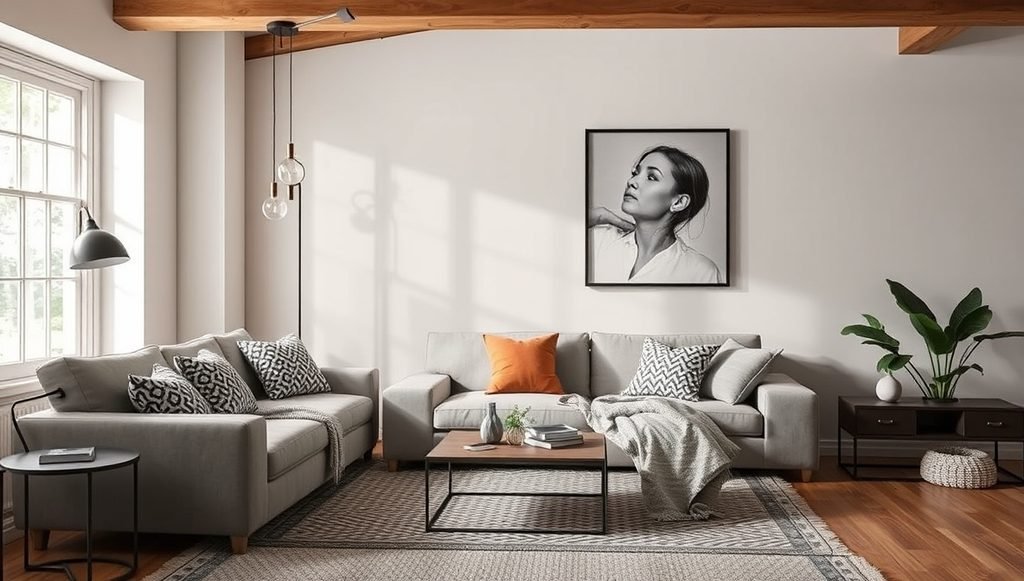
- Leave 30 to 36 inches for main walkways.
- Place the coffee table 14 to 18 inches from the sofa.
- Put at least the front legs of every seat on the area rug. An 8×10 rug suits most living rooms.
- Use three light sources at different heights: a floor lamp, a table lamp, and one overhead or wall light.
- Choose warm bulbs, around 2700K to 3000K, for a relaxed feel.
- Hang artwork so its center sits around 57 to 60 inches from the floor.
Sample budget for a 12×15 room refresh:
| Item | Cost Range |
|---|---|
| Paint and supplies (DIY) | $100 to $250 |
| 8×10 area rug | $150 to $800 |
| Floor lamp plus table lamp | $80 to $300 |
| Curtains and rod | $60 to $200 |
| Art and frames | $50 to $300 |
| Total | $440 to $1,850 |
Kitchen
Kitchen updates give the highest visual return when you skip the cabinets and demolition.
- Keep work aisles around 42 inches for one cook and 48 inches if two people cook together. These are common planning guidelines from kitchen design professionals.
- Add under-cabinet LED strips ($30 to $100) to remove shadows on the counter.
- Swap cabinet pulls. Thirty new pieces run about $90 to $360.
- Paint cabinets yourself for $200 to $600 in materials, or order new doors if the boxes are in good shape.
- Use peel-and-stick tile for a temporary backsplash, roughly $100 to $300 for a small wall.
- Keep the most-used items between hip and shoulder height.
Bedroom
- Put the bed on the longest solid wall and leave 24 to 30 inches on each open side if space allows.
- Use blackout curtains ($40 to $150) for better sleep.
- Choose 2700K bulbs or dimmable lights in warm tones.
- Keep nightstand surfaces small and clear. One lamp, one book, one charger.
- Layer bedding in three pieces: sheets, a quilt or duvet, and a throw. Expect $120 to $400.
Home Office
- Set the top of your monitor at or slightly below eye level. A monitor arm costs $30 to $150.
- Pick a chair with adjustable height and lumbar support. Decent options start around $150 to $500.
- Use 4000K to 5000K lighting for focus, and place the light source to the side of the screen to cut glare.
- Position the desk so you aren’t facing a bright window directly.
- Hide cables with adhesive clips and a cable box, about $15 to $40 total.
Entryway
A cluttered front door is one of the most common complaints in small homes.
- Install wall hooks ($15 to $50) at two heights, one for adults and one for kids.
- Add a bench with shoe storage ($100 to $350) if the space is at least 3 feet wide.
- Hang a mirror ($50 to $200) to bounce light and help with a last-minute check.
- Use a narrow shoe cabinet ($120 to $400) if floor space is tight.
- Add a small tray for keys and mail so they don’t spread to other rooms.
Budget Planner: Where to Spend and Where to Save
| Budget Tier | Total Spend | Best Projects |
|---|---|---|
| Under $300 | Lighting swaps, paint one room, new cabinet hardware | Fast visual change |
| $300 to $1,000 | Rug, curtains, bedding, backsplash, smart lighting | Full room refresh |
| $1,000 to $3,000 | New furniture piece, built-in style storage, upgraded fixtures | Lasting upgrades |
| $3,000+ | Flooring, cabinetry, professional design help | Major remodel |
Spend more on: sofas and mattresses, office chairs, lighting fixtures you touch daily, and paint quality.
Save on: decor accessories, picture frames, throw pillows, and trend-driven pieces you might replace in a year.
Renter-Friendly Versions
Most home content assumes you own the place. If you rent, these swaps keep your deposit safe:
- Use plug-in wall sconces instead of hardwired ones.
- Choose removable wallpaper or large framed art instead of painting.
- Swap cabinet knobs and keep the originals in a labeled bag for move-out.
- Use freestanding shelving instead of wall-mounted units where lease terms are strict.
- Add a rug to cover worn flooring.
- Replace shower heads and light bulbs, then reinstall the originals when you leave.
Always check your lease before drilling holes or painting.
When to Hire a Professional
Some projects should not be DIY, no matter how simple a tutorial looks.
- Hardwiring new lights, moving outlets, or adding circuits.
- Plumbing changes, including relocating sinks or adding fixtures.
- Removing or altering walls, since some are load-bearing.
- Any work that needs a permit in your city. Rules vary, so call your local building department.
- Gas appliance installation.
A licensed contractor and a permit cost money, but unpermitted work can cause trouble with insurance and when you sell.
Common Mistakes People Make
- Buying decor before planning the layout. Measure first, then shop.
- Using one overhead light for the whole room. Layer lighting instead.
- Choosing a rug that is too small. It makes the room look disconnected.
- Painting before testing samples. Paint a large swatch and look at it morning and night.
- Following every trend. Pick one or two and keep the rest neutral.
- Ignoring storage. Clutter ruins good design faster than anything.
- Hanging curtains at the window frame. Mount them near the ceiling and extend them past the frame for a taller look.
How to Use Inside Home DesignMode24 Ideas Without Wasting Money
Here is a simple process for turning articles into results.
- Pick one room. Don’t plan the whole house at once.
- Measure it. Record wall lengths, window sizes, and door swings.
- Name the problem. Too dark, too cluttered, uncomfortable seating, or no storage.
- Collect three to five ideas from the site or elsewhere that solve that exact problem.
- Price them at two retailers before buying anything.
- Start with lighting and paint, which give the biggest change per dollar.
- Buy furniture last, once the room’s colors and light are settled.
- Review after two weeks. Live with the changes, then decide on the next step.
This method works with inside home designmode24 content or any other source, because it forces you to check ideas against your own space.
Frequently Asked Questions
What is inside home designmode24?
It is the interior section of the DesignMode24 website, covering living rooms, DIY projects, color trends, and modern home design.
Is DesignMode24 a design software or app?
No. Based on available descriptions, it’s a content website with articles and guides, not a planning tool.
Can I trust the cost estimates I find online?
Treat them as starting points. Prices change by region and retailer, so compare local quotes before you commit.
What is the cheapest way to refresh a room?
Paint, new bulbs, and updated hardware. These often cost under $300 and change a room’s look the most.
Which room should I update first?
Start with the one you use most, usually the living room or kitchen. Daily use makes improvements easier to feel.
Do I need a permit for home updates?
Painting and decorating don’t, but electrical, plumbing, and structural work usually do. Check with your local building department.
How can renters use these ideas?
Choose removable and plug-in options, like peel-and-stick wallpaper, plug-in sconces, and freestanding storage.
Final Thoughts
Inside home designmode24 is best understood as a starting point for ideas, not a method or a guarantee. The real value comes from measuring your own rooms, setting a budget, and testing changes in small steps. Use the site for inspiration, verify any technical or cost claim, and spend your money where you notice it daily: light, comfort, and storage.
Pick one room this week, run the eight-step process above, and see what a few hundred dollars can do before you plan anything larger.




One Reply